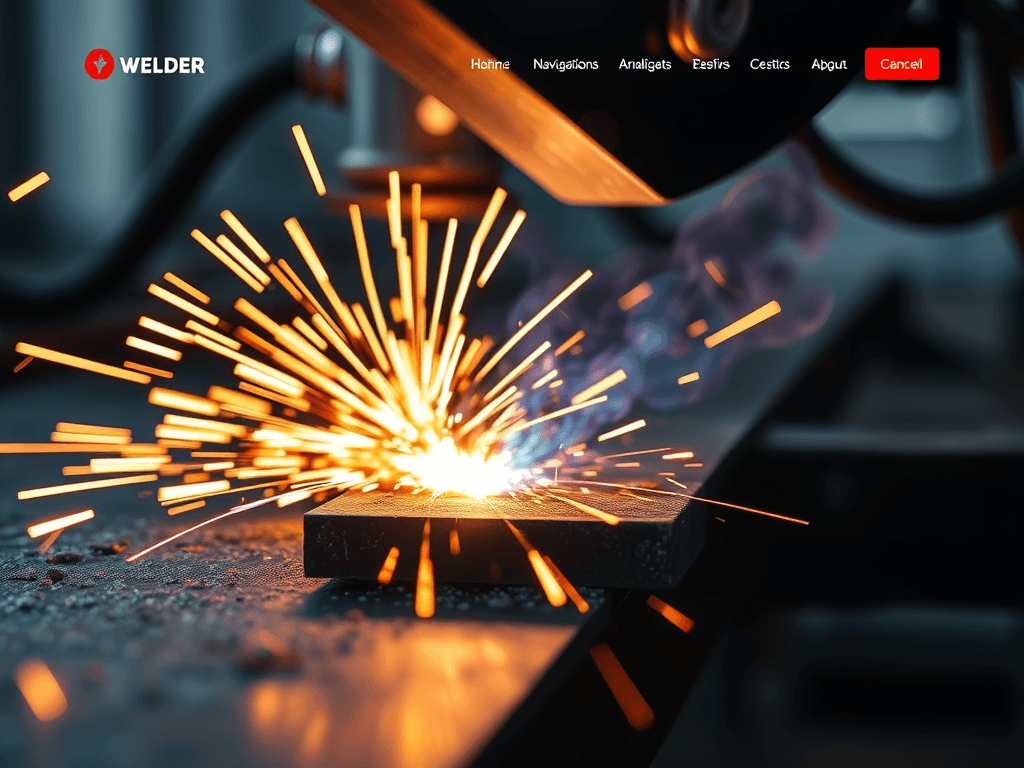
Best Website Design Ideas for a Welder Business
Creating a professional and functional website for your welder business is an essential step toward reaching new clients and establishing your brand online. A well-designed site not only builds trust but also showcases your craftsmanship through striking visuals and a clean layout. In this article, we’ll explore the best design ideas, visual hierarchy practices, and troubleshooting tips that help transform a simple welding website into a powerful marketing tool.
Eye-Catching Web Design Ideas for Welder Businesses
A welder’s website should instantly communicate strength, reliability, and skill. The design should mirror the precision of your welding craft — clean lines, metallic color tones, and real, authentic images of projects. Including professionally photographed shots of welding sparks, finished steelwork, and satisfied clients can make a strong first impression. For visuals, consider free industrial-themed images from Pexels or Unsplash.
When it comes to layout, simplicity beats complexity. Use a clear navigation bar with direct options like Services, Gallery, Contact, and About Us. A hero section featuring a high-definition welding photo or a short background video of active work in progress can help draw attention. Consider adding testimonials and project before-and-after sliders to enhance credibility and professionalism.
Pros and Cons:
Pros: Helps establish professional credibility, attracts local customers, and increases trust with visual proof of skills.
Cons: Requires professional design setup and regular maintenance to stay current with modern design trends.
If troubleshooting arises — such as slow loading times, broken images, or layout inconsistency on mobile devices — contact Archer IT Solutions’ web support team at support@archer-its.com. Their Web Hosting Services ensure speed and reliability for small business websites.
Guiding Users with Visual Hierarchy and Focus Points
Visual hierarchy is key to guiding your visitors’ eyes through your site naturally. Start with bold headlines and contrasting colors for key action areas such as Request a Quote or View Our Gallery. Readers naturally scan from top-left to bottom-right, so positioning your most important content — like the company name, contact info, and primary call-to-action — in those focal areas enhances engagement.
White space can be a welder’s best design ally. By spacing elements properly, you help the viewer focus on important sections instead of being overwhelmed. Use color accents sparingly — metallic blues, grays, and fiery oranges can balance industrial toughness with visual warmth. Dynamic focus elements such as iconography, callout boxes, and subtle animations can make navigation interactive and intuitive.
For troubleshooting common layout or focus issues — such as readers missing your contact form or failing to interact with CTAs — experiment with color contrast and button size. You can also hire Archer IT Solutions’ Web Design Services team to optimize the user experience and integrate smart user behavior analytics. If you need remote troubleshooting, visit www.archer-its.com/onsite-service for onsite or remote IT support options.
Example Layouts and Supporting Resources
To better understand web structure and design layout for welders, explore free web layout wireframes on Figma Community, or check out design patterns on Awwwards. These resources illustrate how good hierarchy and layout guide visitors toward conversion actions while keeping aesthetics tight and brand-true.
Integrate your own portfolio to highlight custom fabrication work, safety certifications, and cutting-edge welding machinery. This builds trust through transparency and helps potential clients visualize project outcomes. Consider embedding short video clips of welding techniques for engagement while ensuring load times remain optimal. Archer IT Solutions’ hosting plans will help keep these pages loading quickly and securely.
Finally, ensure your contact page includes clickable phone numbers, a simple email form, and fast-response communication channels. Users seeking project quotes shouldn’t have to search — clear CTAs like Call Now for a Free Estimate or Get Your Metalwork Project Started should be readily visible.
A well-crafted website for a welding business should merge visual structure, professional imagery, and functional ease of use. With clear navigation, purposeful visual hierarchy, and fast performance, your site can turn casual visitors into loyal clientele. Whether you’re upgrading your current page design or building one from scratch, consider reaching out to Archer IT Solutions for professional guidance and ongoing support to keep your welding business shining online.
Call to Action: Need expert assistance on web design or hosting optimization? Contact Archer IT Solutions’ Web Design Services or email sales@archer-its.com today.
Starter Website
Use our AI bots to build a starter website for you.
$50 setup with hosting at $9.99 per month
Discover more from Archer IT Solutons
Subscribe to get the latest posts sent to your email.
Discover more from Archer IT Solutons
Subscribe to get the latest posts sent to your email.
Discover more from Archer IT Solutons
Subscribe to get the latest posts sent to your email.

No responses yet