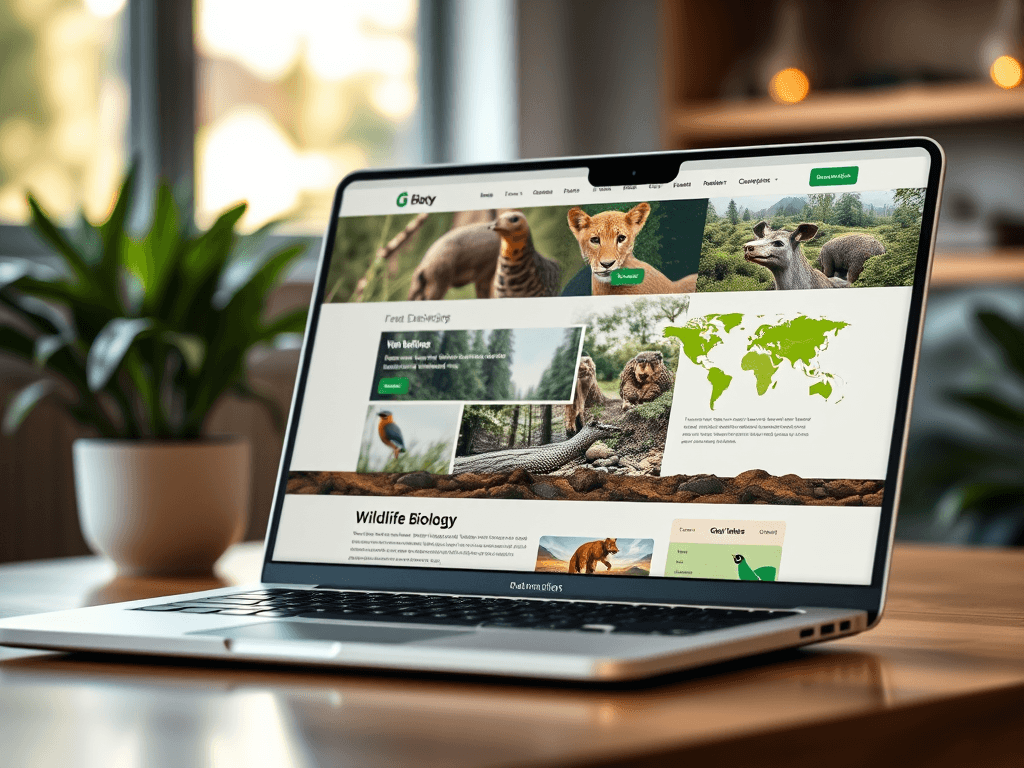
Designing the Perfect Website for Wildlife Biologists

Creating a professional website for wildlife biologists requires more than aesthetic beauty—it’s about crafting a digital habitat where research, photos, and data harmonize effortlessly. A well-designed website attracts visitors, supports communication, and reflects scientific integrity. Whether you are sharing field research, conservation efforts, or educational content, your website should be both engaging and functional.
Crafting User-Centered Designs for Wildlife Websites
When designing for wildlife professionals, user experience (UX) should lead every decision. Think about who will be visiting your site: other biologists, donors, students, or the general public. Each group requires different interaction pathways to find content quickly. Studies show that 75% of users judge a website’s credibility based on its design, highlighting the importance of intuitive navigation and accessible structure. A homepage featuring high-quality images, a concise mission statement, and links to current projects will help create immediate trust.
Including interactive features—like habitat maps, data visualizations, or downloadable research PDFs—adds value for your audience. Tools from sites like Mapbox or Leaflet let you integrate geospatial information smoothly. Responsive design ensures that your website adapts to mobile devices, which is essential since more than 60% of internet traffic now comes from smartphones.
Key Takeaways:
- Prioritize navigation clarity and audience needs.
- Use interactive, scientific tools for engagement.
- Optimize your website for mobile users.
Summary: A user-centered approach validates your expertise while improving accessibility for visitors. A well-thought-out layout strengthens your online reputation as a wildlife professional.
Visual Hierarchy Tips to Guide Visitor Attention
Human eyes follow predictable scanning patterns, typically starting in the top-left corner. Placing your logo and key navigation elements there immediately grounds the viewer. Use visual hierarchy to lead attention: larger headlines, contrasting colors, and white space help highlight key elements like research summaries, blog updates, or donation buttons. Data from the Nielsen Norman Group indicates that 57% of browsing time is spent on the top half of a page—use this real estate wisely.
Balance is essential. Overloading images or text blocks can distract from your message, while too much empty space may appear unfinished. Try color coding for different content sections—green tones for conservation updates or earthy hues for fieldwork stories. Consistency helps reinforce branding and builds familiarity over time.
Pros: Enhances user navigation, strengthens visual brand identity.
Cons: Poor hierarchy can confuse users or reduce readability if misused.
Summary: A strong visual hierarchy informs design decisions and ensures your visitors find important content fast, keeping them engaged longer.
Troubleshooting Plugin Compatibility
Wildlife websites often feature specialized plugins, such as photo galleries, interactive species databases, or GIS tools. These plugins may occasionally conflict with your theme or hosting environment. Common issues include slow page loads, display errors, or outdated plugin updates. To avoid downtime, test all plugins in a staging environment before applying changes.
If technical issues occur, it’s important to have dedicated IT support. Archer IT Solutions offers both remote and onsite support for plugin or hosting compatibility problems. Contact their technical team via support@archer-its.com or open a ticket at https://archer-its.com/ticket. Most support emails are answered within 24 hours, ensuring quick resolution and stability for your website.
Helpful Tip: Keep your CMS and plugins updated regularly and choose tools verified by your web host to minimize conflicts.
Summary: Addressing plugin compatibility early helps maintain a stable, fast, and reliable website experience for your visitors.
Designing the ideal wildlife biologist website means merging art, science, and functionality. Whether you’re documenting field data or educating the public, your site should feel natural, intuitive, and credible. Reflect on your own goals—what story do you want your website to tell? With proper design, support from experts like Archer IT Solutions, and attention to user-first principles, you can create a digital platform as inspiring as the ecosystems you study.
Additional Resources:
- Smithsonian Conservation Biology Institute
- World Wildlife Fund Research Programs
- National Geographic Explorers Projects
[submit “Submit”]
1
[_site_title] “[your-subject]”
[_site_title]
[_site_admin_email]
From: [your-name] [your-email]
Subject: [your-subject]
Message Body:
[your-message]
—
This is a notification that a contact form was submitted on your website ([_site_title] [_site_url]).
Reply-To: [your-email]
1
1
[_site_title] “[your-subject]”
[_site_title]
[your-email]
Message Body:
[your-message]
—
This email is a receipt for your contact form submission on our website ([_site_title] [_site_url]) in which your email address was used. If that was not you, please ignore this message.
Reply-To: [_site_admin_email]
1
1
Thank you for your message. It has been sent.
There was an error trying to send your message. Please try again later.
One or more fields have an error. Please check and try again.
There was an error trying to send your message. Please try again later.
You must accept the terms and conditions before sending your message.
Please fill out this field.
This field has a too long input.
This field has a too short input.
There was an unknown error uploading the file.
You are not allowed to upload files of this type.
The uploaded file is too large.
There was an error uploading the file.
Please enter an email address.
Please enter a URL.
Please enter a telephone number.
Please enter a date in YYYY-MM-DD format.
This field has a too early date.
This field has a too late date.
Please enter a number.
This field has a too small number.
This field has a too large number.
The answer to the quiz is incorrect.
Discover more from Archer IT Solutons
Subscribe to get the latest posts sent to your email.
Discover more from Archer IT Solutons
Subscribe to get the latest posts sent to your email.

No responses yet