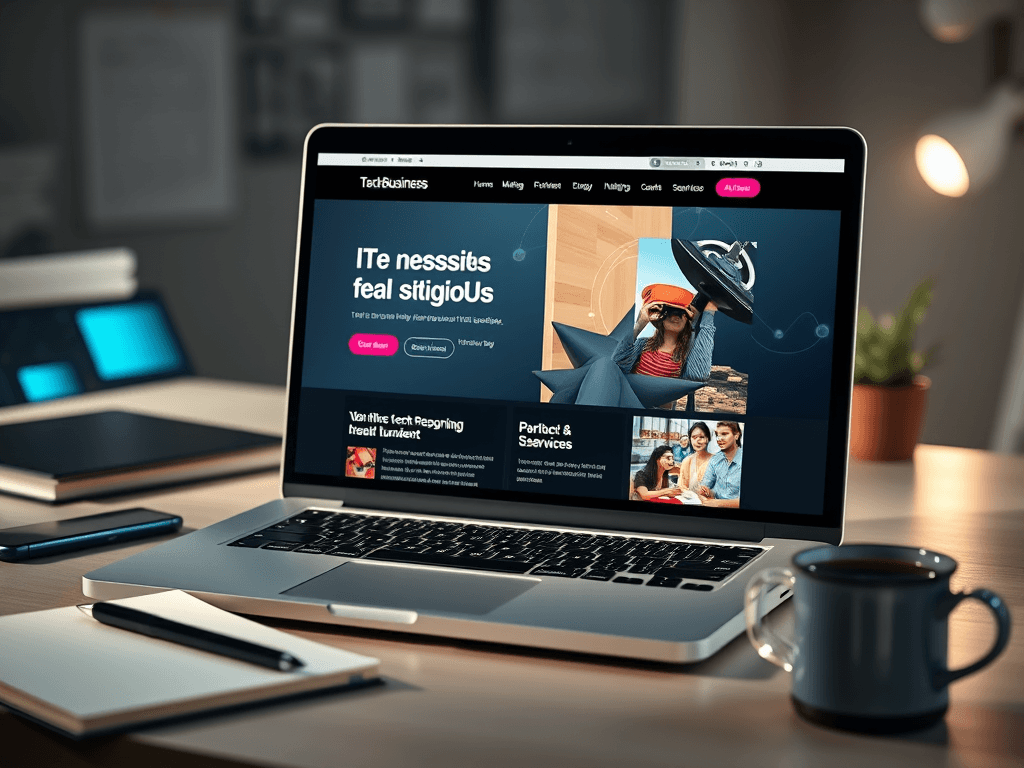
Essential Website Types for Tech Businesses
Starting a technology business is exciting, but choosing the right kind of website to represent it can be daunting. Your website is often the first interaction clients have with your company, and it serves as a digital reflection of your technical skill, reliability, and innovation. The type of website you build impacts how customers perceive your brand, trust your capabilities, and engage with your products or services. This article guides you through the various website types suitable for technology businesses, explores real-world examples, and highlights how design, usability, and structure can drive better engagement.
Choosing the Right Website Type for Your Tech Business
The first step in designing your tech business website is identifying its primary purpose. Are you showcasing products, offering IT services, or providing digital tools? For service-oriented companies like Archer IT Solutions, an informational and service-driven website is ideal. This type of site highlights essential services such as web hosting, managed IT support, and web design, providing clear paths for users to learn, inquire, or request technical help.
A business website in the tech space should prioritize clarity over complexity. Visitors often scan pages in an “F-pattern” — starting at the top-left corner and moving horizontally, then vertically. Therefore, crucial information like contact details (e.g., support@archer-its.com), service highlights, and client testimonials should appear in high-visibility areas. Using white space, color contrasts, and prominent headlines helps direct user attention where it matters most.
Different business models may require specific structures. For example:
- IT Service Firms: Simple navigational menus with client portals (like support tickets) and case study sections.
- Software Companies: Landing pages showcasing app features, download links, and comparison charts.
- Hardware Providers: E-commerce functionality for easy purchasing and warranty tracking.
Summary
Selecting the right type of website hinges on your core services and your audience’s behavior. A clean, service-driven design improves navigation and user confidence, while a technically optimized structure enhances credibility and lead generation.
Real-Life Examples That Show Design and Function in Action
Websites such as DigitalOcean and Slack demonstrate excellent execution of functional design. They use visual hierarchy—employing strategic color use, bold headings, and intuitive calls to action to guide users toward decisions. Notice how these websites utilize minimalistic layouts yet manage to highlight complex offerings in a digestible way. Adding graphics or images, such as server infographics or team visuals, supports engagement while communicating professionalism.
Archer IT Solutions’ approach similarly blends design with functionality. Their homepage emphasizes transparency, featuring clearly labeled sections for services like Onsite Support and detailed service descriptions. This reduces confusion, improves accessibility, and accelerates decision-making for visitors. Additionally, having an integrated Support Ticket System empowers users to get technical help swiftly—this usability-driven design directly enhances customer satisfaction.
When crafting a tech business website, consider implementing these design best practices:
- Use scannable content (short paragraphs, bullet points, bolded keywords).
- Ensure fast load times (Google found that 53% of users leave a site if it takes over 3 seconds to load).
- Provide clear contact and support channels.
- Keep a consistent visual theme that aligns with your branding.
Summary
Successful technology websites integrate both technical precision and user understanding. By drawing from real-world examples, businesses can strike a balance between innovation, performance, and approachability.
Pros, Cons, and Technical Considerations
Pros:
- Enhances credibility and demonstrates technical expertise.
- Supports online visibility and lead capture.
- Enables real-time customer support through integrated chat or ticket systems.
Cons:
- High-quality websites require time and budget investment.
- Managing plugins and updates can be challenging without dedicated IT support.
- Misconfigured SEO settings or poor performance can reduce visibility.
Troubleshooting Common Website Issues:
Many technology websites rely on plugins to extend their features—for example, using security plugins, analytics tools, or chat integrations. Common challenges may include plugin incompatibility or version conflicts. To troubleshoot:
- Deactivate plugins one at a time to isolate the issue.
- Check compatibility notes before updating WordPress or CMS versions.
- Use staging environments for testing.
- Rely on managed hosting providers like Archer IT Solutions for ongoing technical support when needed.
For deeper technical help, Archer IT Solutions offers web hosting, on-site IT assistance, and managed services. Visit www.archer-its.com/ticket/ for direct technical assistance—most email inquiries are responded to within 24 hours.
Summary
Understanding pros, cons, and maintenance needs prepares businesses to make informed website decisions. A secure and scalable site does not just attract visitors—it retains them through dependable performance and professional presentation.
Your website is the heartbeat of your technology business—it connects your expertise with the digital world. Take time to analyze your goals, study design patterns from strong examples, and ensure usability remains your guiding principle. If you’re uncertain about where to start, explore managed hosting or IT support services such as those offered by Archer IT Solutions to make upkeep and optimization easier. Reflect on what makes your tech brand unique, and let your website tell that story with clarity, confidence, and purpose.
[submit “Submit”]
1
[_site_title] “[your-subject]”
[_site_title]
[_site_admin_email]
From: [your-name] [your-email]
Subject: [your-subject]
Message Body:
[your-message]
—
This is a notification that a contact form was submitted on your website ([_site_title] [_site_url]).
Reply-To: [your-email]
1
1
[_site_title] “[your-subject]”
[_site_title]
[your-email]
Message Body:
[your-message]
—
This email is a receipt for your contact form submission on our website ([_site_title] [_site_url]) in which your email address was used. If that was not you, please ignore this message.
Reply-To: [_site_admin_email]
1
1
Thank you for your message. It has been sent.
There was an error trying to send your message. Please try again later.
One or more fields have an error. Please check and try again.
There was an error trying to send your message. Please try again later.
You must accept the terms and conditions before sending your message.
Please fill out this field.
This field has a too long input.
This field has a too short input.
There was an unknown error uploading the file.
You are not allowed to upload files of this type.
The uploaded file is too large.
There was an error uploading the file.
Please enter an email address.
Please enter a URL.
Please enter a telephone number.
Please enter a date in YYYY-MM-DD format.
This field has a too early date.
This field has a too late date.
Please enter a number.
This field has a too small number.
This field has a too large number.
The answer to the quiz is incorrect.
Discover more from Archer IT Solutons
Subscribe to get the latest posts sent to your email.
Discover more from Archer IT Solutons
Subscribe to get the latest posts sent to your email.

No responses yet