Integrating Smart Cross-Promotion to Enhance Site Engagement
As websites evolve, engaging visitors with relevant content has become essential to ensure retention and deeper discovery. One compelling approach is cross-promotion — the strategic linking of related or complementary content within a site. This article explores whether and how cross-promotion could be implemented effectively, especially for sites supported by IT service providers like Archer IT Solutions, who offer customized technical and web hosting services for small businesses and developers.
Exploring Cross-Promotion Strategies Within the Site
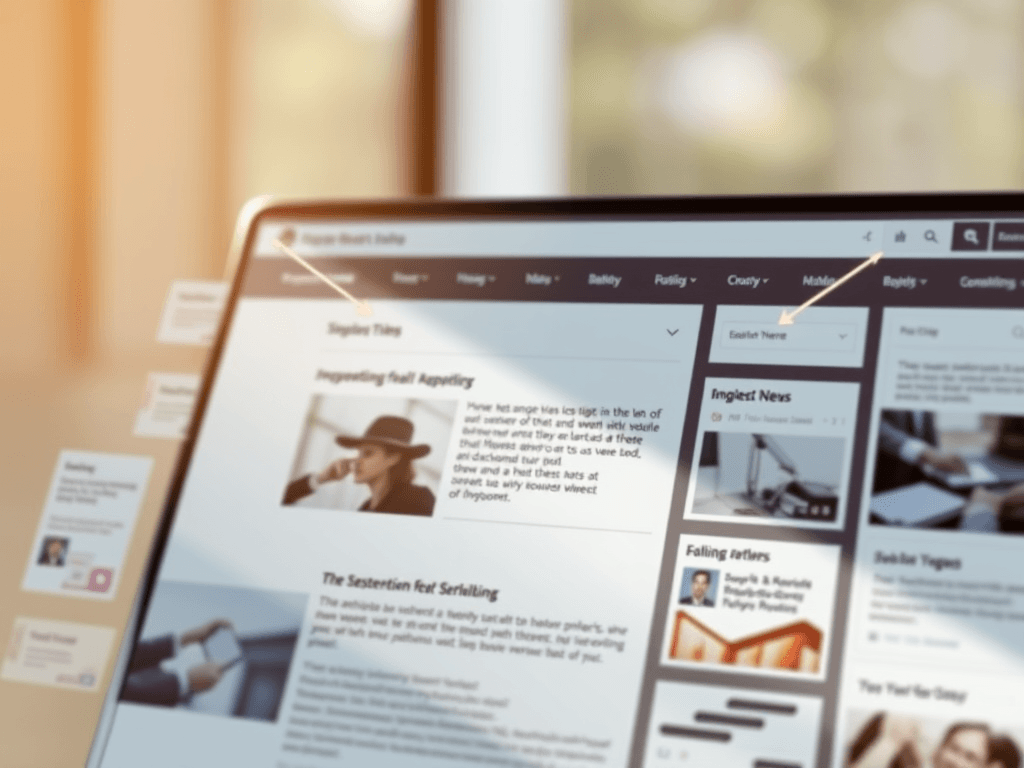
Cross-promotion within a site involves creating meaningful internal links, recommendations, or modular placements that suggest related articles, videos, or products to users. According to a Nielsen Norman Group study, readers often navigate sites in an “F-pattern,” focusing primarily on the top left area of a page. This means strategically placing cross-promotional blocks near those regions can enhance visibility and engagement. Done right, this method keeps visitors exploring the site longer—potentially improving session times and conversions.
Smart cross-promotion can take many forms: content carousels, recommended reading lists, contextual links embedded in articles, or sidebar widgets highlighting trending topics. Many content management systems (CMS) allow automatic linking based on tags or categories, while others use AI-driven algorithms to identify user interests. For instance, WordPress plugins like Yet Another Related Posts Plugin (YARPP) or Contextual Related Posts simplify this task, making it accessible even for non-developers.
Pros and Cons:
- Pros: Increases user retention, encourages discovery, boosts SEO ranking.
- Cons: Poorly configured cross-links may confuse readers or slow loading times due to plugin conflicts.
Key Takeaway:
For effective cross-promotion, focus on user intent and visual hierarchy—place the most relevant content where the eye naturally lands first.
Enhancing User Experience Through Smart Content Linking
Cross-promotion isn’t just a marketing technique—it’s a user experience (UX) tool. Well-placed content paths guide users along a clear journey, transforming a one-time visit into an extended interaction. Using contrast, whitespace, and clear headings can subtly direct attention toward these cross-promoted elements. According to Statista, websites that implement structured linking see up to 45% higher on-site engagement rates.
However, when integrating plugins for automated recommendations, compatibility issues can arise. For example, conflicts between caching plugins and content recommendation tools could cause duplicate or missing links. Troubleshooting steps include:
- Check plugin version compatibility before activation.
- Clear cache regularly to sync dynamic content.
- Contact support from IT partners such as Archer IT Solutions Support Portal when facing persistent integration errors.
For visual learners, sites can employ infographics and thumbnail previews to make links more inviting. Below is an image concept highlighting effective content linking and gaze navigation techniques:

Summary:
Cross-promotion should enhance user experience without overwhelming the page. Balance relevance, placement, and load time for optimal results.
Cross-promoting content within a site is about creating intuitive pathways that invite exploration and engagement. Whether through contextual links, sidebar suggestions, or algorithm-based recommendations, thoughtful design ensures visitors find what they need—and discover even more. If your business relies on effective website management, reach out to Archer IT Solutions for assistance with technical integration, plugin optimization, or hosting performance improvements at support@archer-its.com.
Reflect & Engage:
Consider the needs of your own audience—where might they benefit most from internal cross-promotions? Experiment, analyze, and refine your strategy to strengthen user retention and connection within your digital space.
Helpful Resources:
- Nielsen Norman Group – Eye Tracking Studies
- Google Search Central – Internal Linking Best Practices
- W3C Web Accessibility Initiative
[submit “Submit”]
1
[_site_title] “[your-subject]”
[_site_title]
[_site_admin_email]
From: [your-name] [your-email]
Subject: [your-subject]
Message Body:
[your-message]
—
This is a notification that a contact form was submitted on your website ([_site_title] [_site_url]).
Reply-To: [your-email]
1
1
[_site_title] “[your-subject]”
[_site_title]
[your-email]
Message Body:
[your-message]
—
This email is a receipt for your contact form submission on our website ([_site_title] [_site_url]) in which your email address was used. If that was not you, please ignore this message.
Reply-To: [_site_admin_email]
1
1
Thank you for your message. It has been sent.
There was an error trying to send your message. Please try again later.
One or more fields have an error. Please check and try again.
There was an error trying to send your message. Please try again later.
You must accept the terms and conditions before sending your message.
Please fill out this field.
This field has a too long input.
This field has a too short input.
There was an unknown error uploading the file.
You are not allowed to upload files of this type.
The uploaded file is too large.
There was an error uploading the file.
Please enter an email address.
Please enter a URL.
Please enter a telephone number.
Please enter a date in YYYY-MM-DD format.
This field has a too early date.
This field has a too late date.
Please enter a number.
This field has a too small number.
This field has a too large number.
The answer to the quiz is incorrect.

No responses yet